Accepting 2 Pilot Partners for Q1

AI Incident Investigator
That Debugs While You Sleep.

We analyze your codebase and past incidents to understand your stack, then auto-build the integrations. By the time you wake up, you have root cause + fix scripts. Just review and approve.

Auto-learns your stack
Everything in Slack
No setup required to try
Backed By Y Combinator Combinator W26

Slack
PagerDuty
AWS
Datadog
Prometheus
Grafana
GitHub
Coralogix
Kubernetes
Elasticsearch
Splunk
Sentry
Jira
Linear
GitLab
OpsGenie
New Relic
PostgreSQL
MySQL
Confluence
Slack
PagerDuty
AWS
Datadog
Prometheus
Grafana
GitHub
Coralogix
Kubernetes
Elasticsearch
Splunk
Sentry
Jira
Linear
GitLab
OpsGenie
New Relic
PostgreSQL
MySQL
Confluence

Works with 40+ integrations

See IncidentFox in Action

Watch how our AI agent triages a PagerDuty alert from detection to resolution in minutes.

How It Works

From Alert to Resolution in Minutes

IncidentFox listens to your alerts, investigates autonomously, and delivers actionable fixes. Here's what that looks like in practice.

1

Auto-Investigation

Alert fires at 2am. IncidentFox automatically kicks off an investigation—querying logs, checking pod status, correlating with recent deploys. By the time you wake up, it's already found the root cause and prepared fix scripts.

  • Queries your actual systems (Coralogix, Datadog, CloudWatch)
  • Correlates logs, metrics, and deployment history
  • Generates visual reports + ready-to-run fix scripts
# incidents
incident APP 2:47 AM
New alert from Datadog

Payment Service - Error Rate

Priority: Urgent

IncidentFox
IncidentFox APP 2:47 AM

↳ Used 8 tools

I'll investigate this Payment Service error alert. Let me gather information about the logs, check the service status, and analyze the root cause.

🔍 Investigation Complete

Root Cause: 100% identical errors—all gold-tier loyalty payments failing with Invalid token

50% error rate • 303 failed txns • Premium customers blocked

Evidence:

Error pattern in logs View in Datadog ↗
Token expiry at 2:47:12 UTC loyalty-service:L247 ↗
No recent deploys GitHub commits ↗

📊 Error Timeline View in Grafana ↗

📎 5 files attached: fix_payment_service.sh, incident_report.pdf +3

Thread in #incidents
JW
Jimmy Wei 7:32 AM

@IncidentFox I'm seeing this in Grafana too—what's causing the spike?

grafana_screenshot.png
IncidentFox
IncidentFox APP 7:32 AM

That spike at 2:47 AM in your screenshot correlates exactly with the loyalty API token expiry. Here's the breakdown by tier:

Gold tier: 100% failing (303 txns) query ↗
Silver tier: 0% failing query ↗
Basic tier: 0% failing query ↗

Only gold-tier uses the loyalty API endpoint (see service map ↗). Token expired at exactly 2:47:12 AM UTC (log entry ↗).

2

Interactive Follow-up

Ask follow-up questions in the thread. Share screenshots, error logs, or config files. The agent responds with charts, analysis, and attachments—maintaining full context from the investigation.

  • Thread-based memory—no context lost
  • Share images, files, logs for analysis
  • Get back charts, scripts, and reports
3

One-Click Remediation

When you're ready to fix, just click approve. The agent executes the remediation—restarting pods, rolling back configs, updating secrets—with full audit logging. You stay in control.

  • Human-in-the-loop for all write actions
  • Full audit trail of every action
  • Rollback support if something goes wrong
Thread in #incidents
IncidentFox
IncidentFox APP 7:35 AM

Here's the fix script. Review and approve when ready:

fix_payment_service.sh
#!/bin/bash
# Refresh loyalty API token
kubectl create secret generic loyalty-api-token \
  --from-literal=token="$(vault read -field=token secret/loyalty)" \
  --dry-run=client -o yaml | kubectl apply -f -

# Rolling restart payment-service
kubectl rollout restart deployment/payment-service -n prod

# Wait and verify
kubectl rollout status deployment/payment-service -n prod

This is the only code that will execute. Nothing else.

JW
Jimmy Wei 7:36 AM
clicked Approve & Run
IncidentFox
IncidentFox APP 7:38 AM

✓ Remediation complete

deployment/payment-service restarted

3/3 pods ready

Error rate: 50%0.3%. Incident resolved.

Why We're Different

AI SRE Isn't New. Making It Actually Work Is.

Most AI SREs don't work because they lack context about your systems and ask you to spend weeks building integrations. We took a different approach.

Context Is Everything

On setup, we analyze your codebase, Slack history, and past incidents to understand how your org actually works.

  • Auto-learns your internal tools & quirks
  • Builds integrations automatically
  • No weeks of setup work

"No building your own MCP servers. It just works."

Never Leave Slack

When things are on fire at 3am, you don't want to open another tab. Everything happens in the thread.

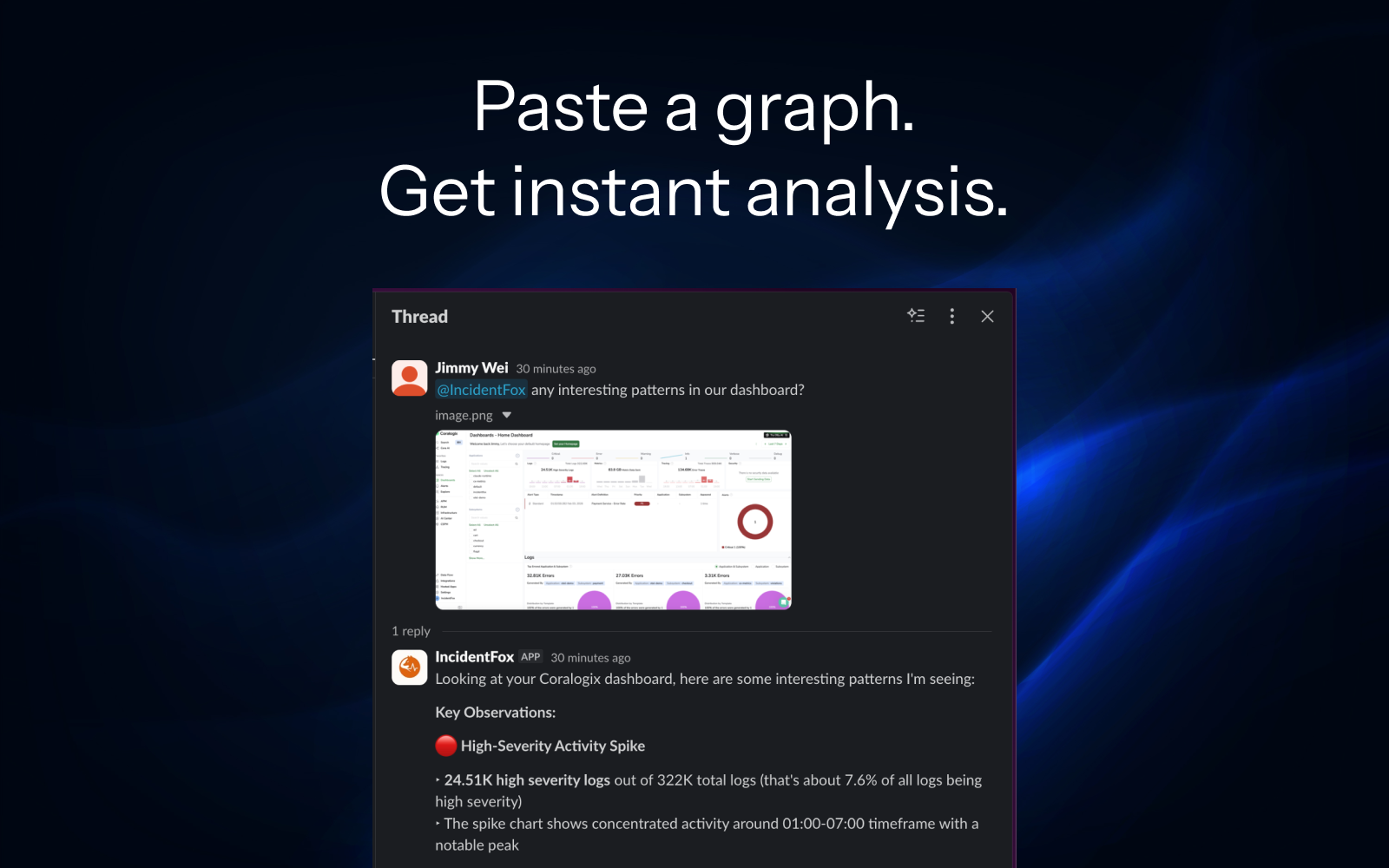
  • Paste a screenshot → we analyze it
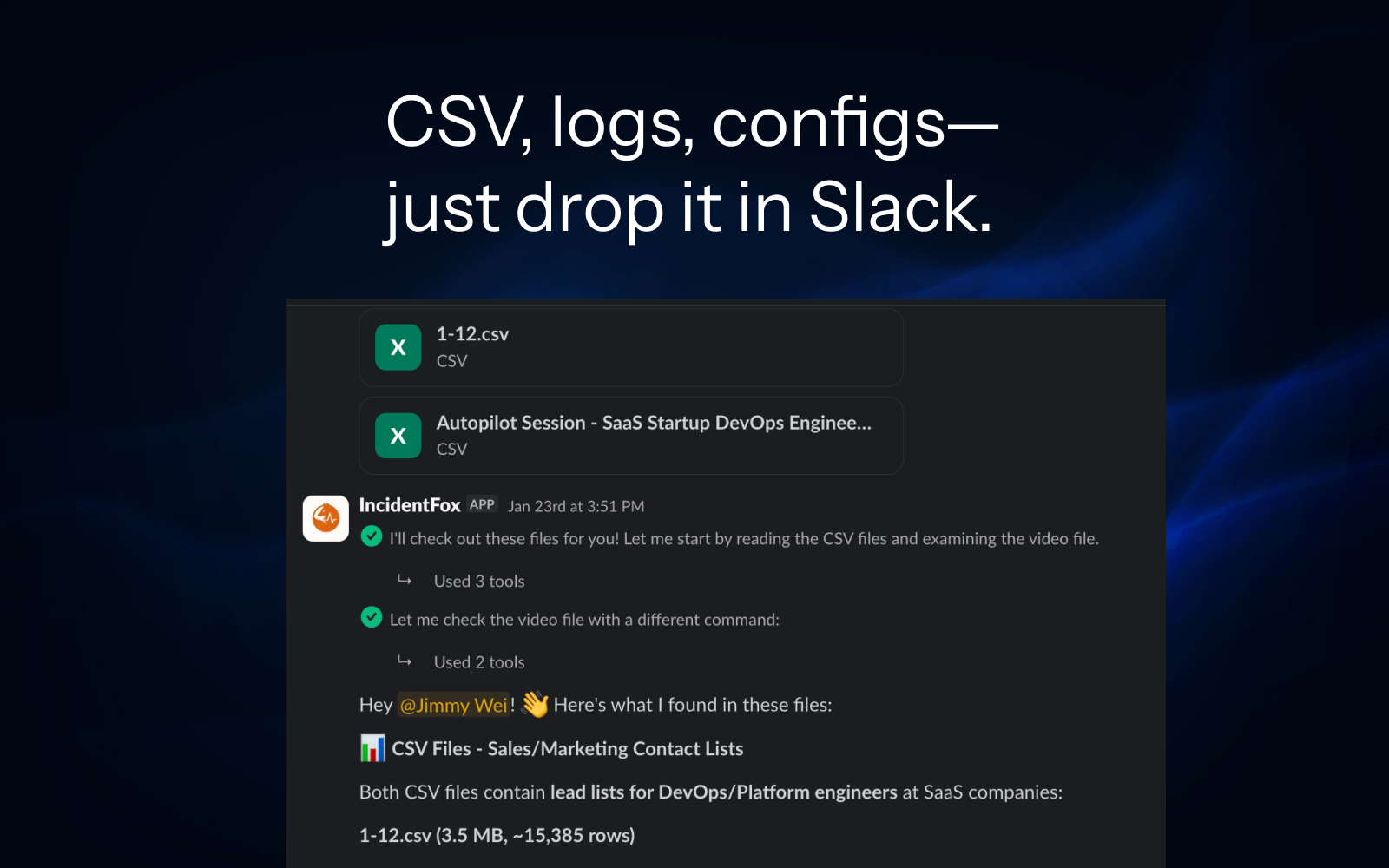
  • Drop a log file → we parse & correlate
  • View full traces as attachments

"No new tabs. No context switching. Debug where you work."

Try It Right Now

Join our Slack and test it immediately. No forms, no setup, no credit card. See it work before you commit.

  • Live demo in our Slack community
  • Or self-host (Apache 2.0)
  • 40+ integrations out of the box

See It in Action

Real screenshots from our Slack. This is what incident investigation looks like when everything stays in one place.

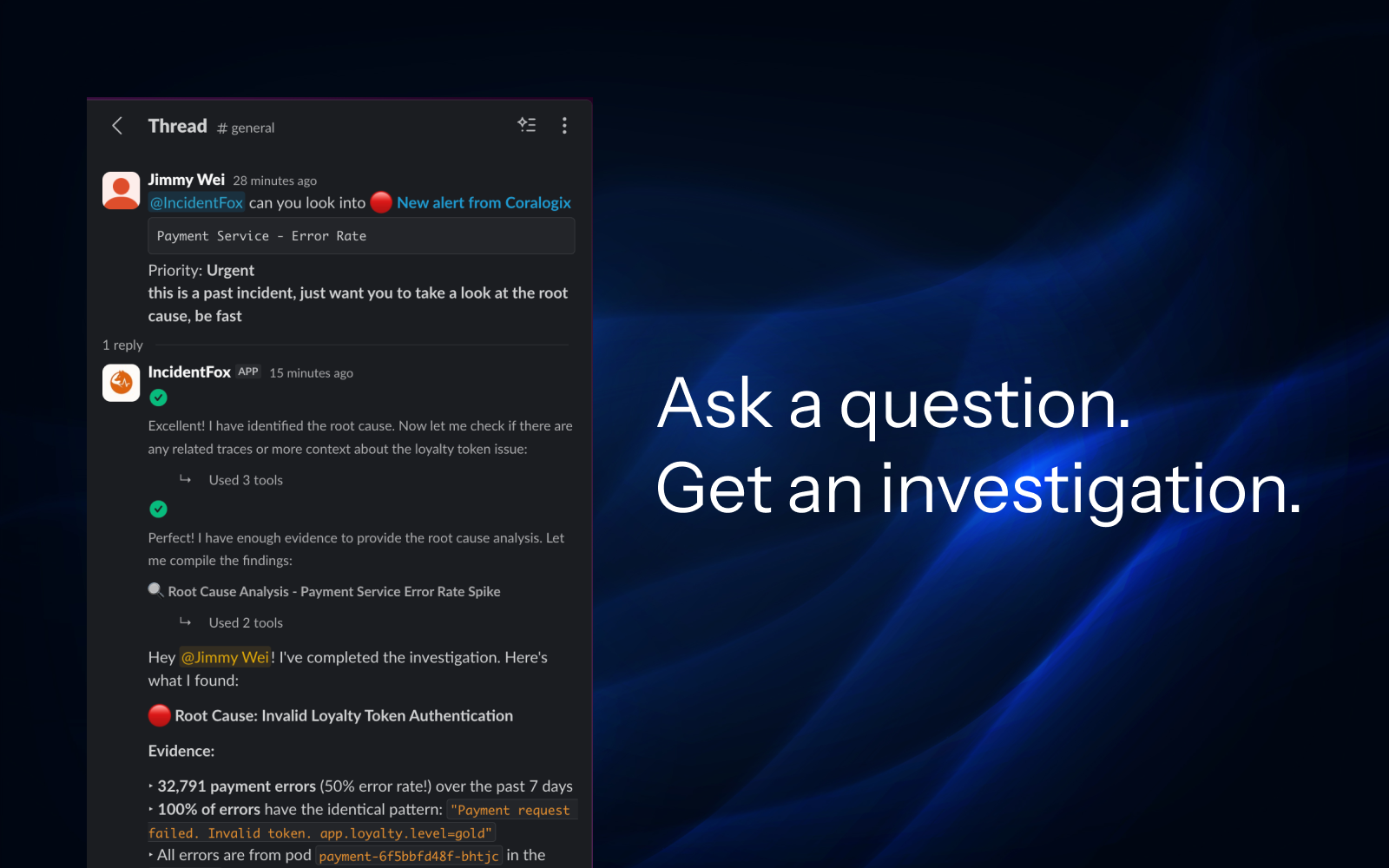
Ask a question, get an investigation

Ask a question. Get an investigation.

Paste a graph, get instant analysis

Paste a graph. Get instant analysis.

Drop files in Slack

CSV, logs, configs—just drop it in Slack.

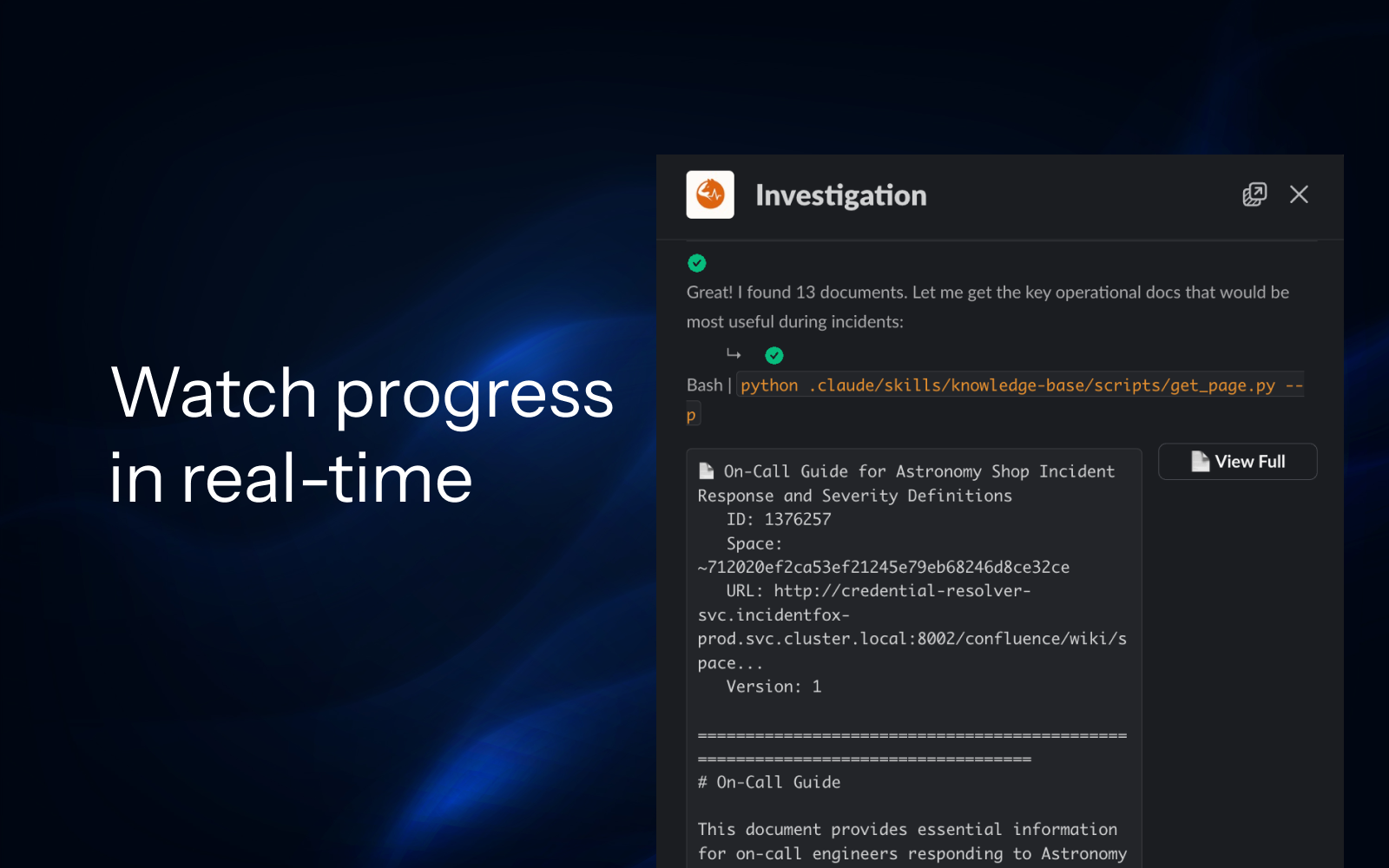
Watch progress in real-time

Watch progress in real-time.

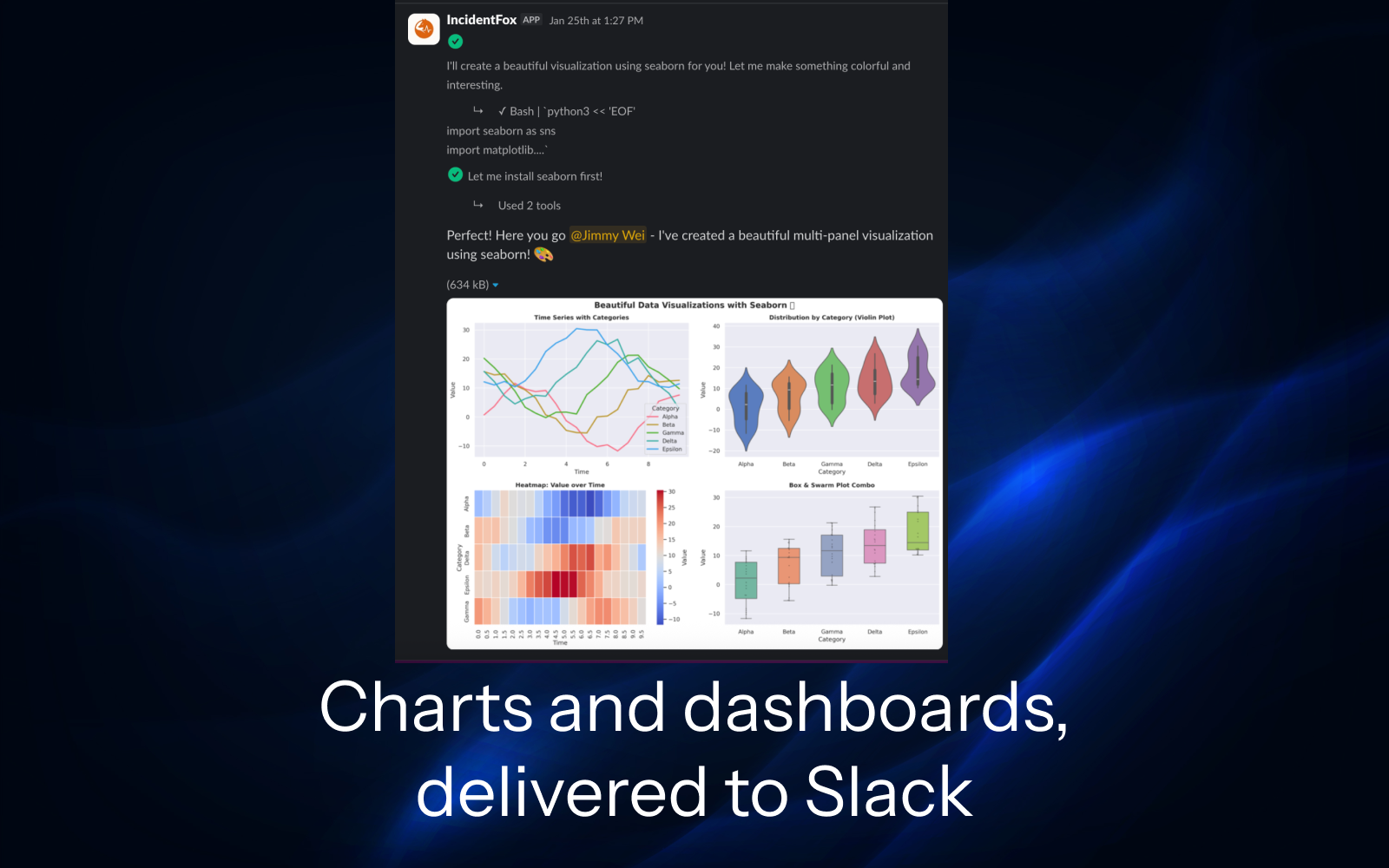
Charts and dashboards delivered to Slack

Charts and dashboards, delivered to Slack.

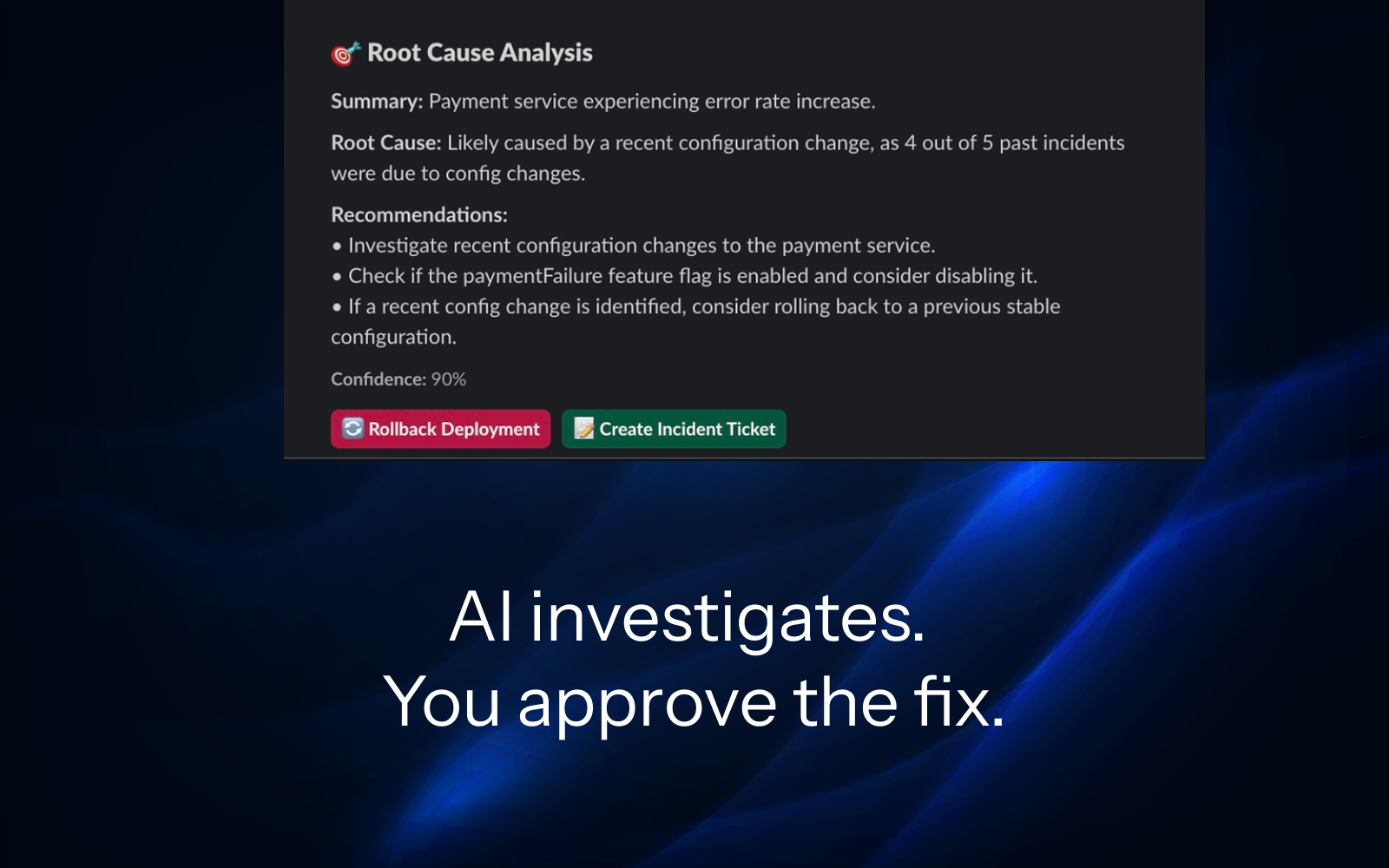
AI investigates, you approve the fix

AI investigates. You approve the fix.

How We Compare

vs. ChatGPT

Queries Real Systems

ChatGPT guesses based on training data. IncidentFox queries your actual logs, metrics, and deployments in real-time. No hallucinations.

vs. Other AI SREs

No Integration Hell

Other tools ask you to build your own MCP servers and spend weeks on setup. We auto-learn your stack and build integrations for you.

vs. AIOps Platforms

Open & Controllable

No black-box ML. IncidentFox is open core. You see exactly what it does, control its permissions, and can self-host.

Security

Built for Production Environments

The agent runs in a sandbox. Your credentials stay safe. Deploy however you want.

Sandboxed Execution

Each investigation runs in an isolated container with its own filesystem. The agent can write scripts, generate reports, and store intermediate results—but it's completely isolated from your infrastructure.

  • Credential Injection via Proxy

    API keys are injected at request time by a secure proxy. The agent never sees raw credentials—it just makes authenticated requests.

  • Isolated Filesystem

    Each session gets a fresh, ephemeral filesystem. Scripts and artifacts are cleaned up after the session ends.

  • PII Redaction

    Sensitive data is automatically detected and redacted before being sent to the LLM.

Architecture

YOUR INFRASTRUCTURE

Datadog AWS K8s GitHub
Authenticated via Proxy
Credential Proxy

Injects API keys at request time

IF IncidentFox Sandbox
Isolated FS No raw creds Ephemeral

Deployment Options

Recommended

SaaS (Hosted)

We host everything. Just connect your Slack and observability tools. Fastest way to get started.

Complete setup in 30 minutes

On-Prem / VPC

Deploy in your own infrastructure. Your data stays in your network. We provide support and updates.

For regulated industries

Self-Host (OSS)

Open core version. Run it yourself with complete control. Community support on GitHub and Slack.

For hackers & tinkerers

SOC 2 In Progress

Currently undergoing Type 2 audit. Data encrypted at rest and in transit.

RBAC

Fine-grained access control for teams, tools, and data sources.

Full Audit Trail

Every AI action, query, and decision logged for compliance.

Human-in-the-Loop

All write actions require approval. You stay in control.

Built by Engineers from Top Tech Companies

We started our careers on the Application and DB Infra teams at a leading gaming platform. We built IncidentFox because on-call shouldn't be this hard.

Jimmy

Jimmy Wei

Co-Founder

Ex-Meta, Roblox, Cornell

Longyi

Long Yi

Co-Founder

Ex-Roblox, Brandeis

Resources

Learn how modern engineering teams use AI to improve reliability.

Frequently Asked Questions

What makes IncidentFox different from other AI SRE tools?

Most AI SREs don't work because they lack context about your specific systems and ask you to spend weeks building integrations. We took a different approach: on setup, we analyze your codebase, Slack history, and past incidents to understand how your org actually works, then auto-build integrations so things work out of the box. Plus, everything stays in Slack — paste a screenshot, drop a log file, view full traces — all without leaving the thread.

How does IncidentFox connect to our stack?

We integrate directly with your existing tools via secure APIs (PagerDuty, Slack, Datadog, etc.). Unlike other tools that ask you to build your own MCP servers, we analyze your codebase and past incidents to understand which integrations matter, then auto-build them. No weeks of setup work required.

Is my data safe?

Yes. Security is our top priority. We are currently undergoing SOC 2 auditing and support on-prem deployments for maximum control. We never use your data to train models for other customers, and PII redaction is built-in by default.

Can the agent take actions automatically?

You control the autonomy. Most teams start with "Human-in-the-loop" mode where the agent suggests actions for approval. Once you trust the agent, you can enable auto-mitigation for specific runbooks. Every action is logged for audit purposes.